Why the XD75?
I recently acquired a new keyboard. It's a 75 key ortholinear keyboard by xiudi. The XD75 is my second ortholinear keyboard. I already own an olkb plank. After using the planck for a while, I started to miss the additional layers when typing on my Anne Pro 2. Being able to use the arrow keys without having to move my right hand from the home postion is something I found myself relying on a lot. So anyway, I started browsing.
At first I was tempted to buy a split keyboard for the ergonomics but then I found the XD75. The advantage of the xd75 is that it has 3 more columns than the planck. By using the same layout as on the planck but splitting it in the middle results in a similar effect as a split keyboard.
Ordering
Before my better judgment could stop me, I ordered the parts. Here is rundown of the build:
- xd75re board from KPrepublic
- XD75 Stainless Steel Plate from KPrepulic
- GH60 Anodizing Aluminium CNC Case from Aliexpress
- Hana keycaps from pimpmykeyboard
- DUROCK Silent T1 Shrimp 67g Switches from Aliexpress
The bill was around 300$ and the keycaps account for about have of it. I immediately fell in love with the set even if my wallet didn't. To be able to have all the necessary keycaps for the layout, I had to order a few different sets.

Assembly
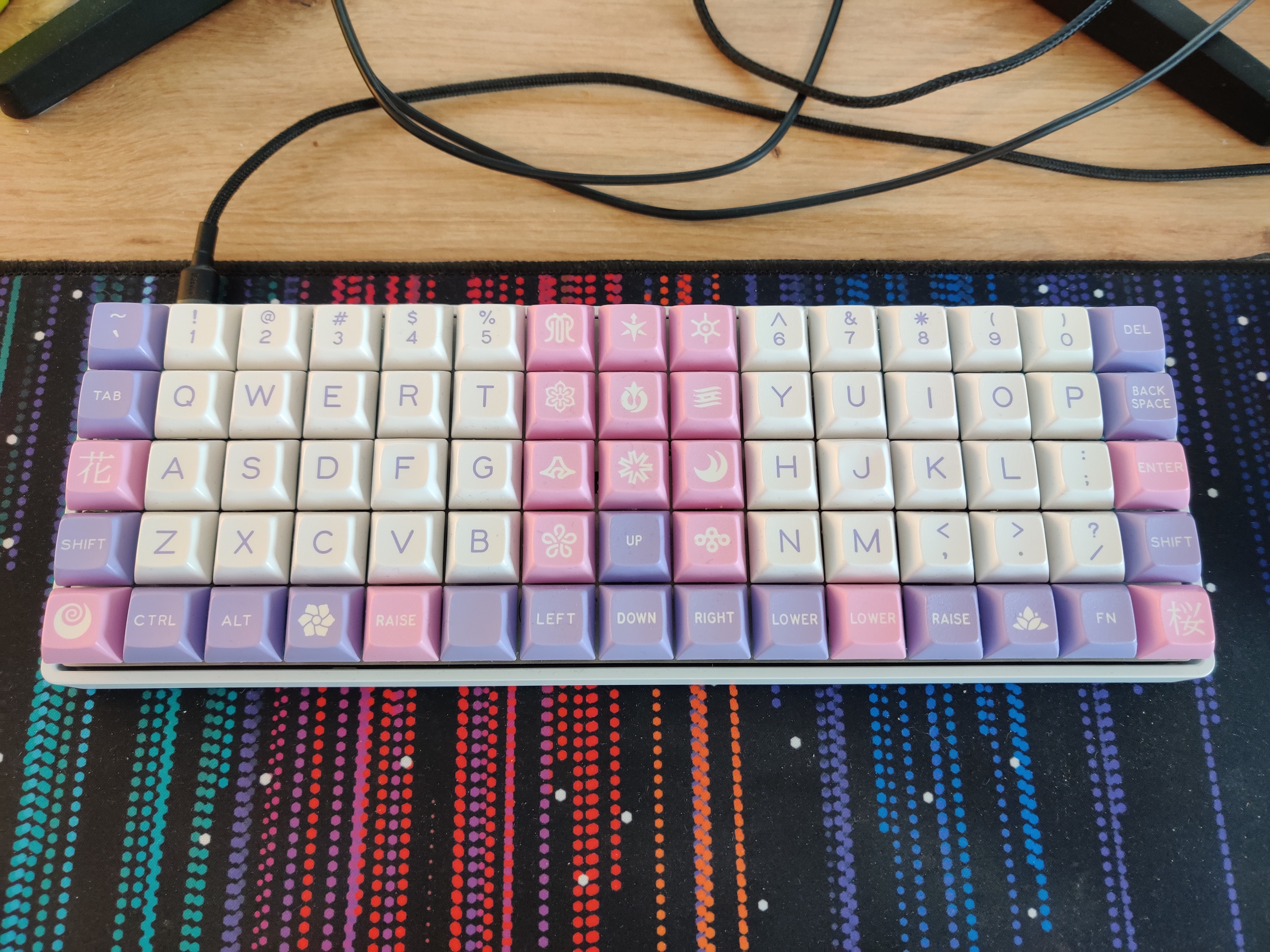
Assembling the keyboard wasn't the easiest thing because, even though the board fits inside a 60% case, the mounting screws are not fully compatible. I had to file the studs in the case for the board to fit and it's only held in place by three screws.
Layout
I was quite happy with the layout I was using on my Planck but having more keys available inspired me to try some new stuff.
For example, one issue with the limited keys on the Planck is the placement of the enter key. I've always had it on the right most column on the bottom row where you would expect the shift key to be. A while ago, while researching ortholinear keyboards, I discovered the typematrix which has the enter key in the middle of the keyboard. I decided to try this out and it is actually quite nice.
In the end, I ended up moving the enter key again, this time taking the place of the '-key.
This allows me to have both the enter and shifts keys where I would expect them. By shuffling some keys around, I was able to improve on the previous layout and have most of the keys I need
on the main layer. In the middle 3 columns, I have a numpad and the top row contains the numeric keys.
Because the middle 3 columns are only used for the numpad and I find myself rarely using the top row, instead relying on the numeric keys on the first layer, I was able to backport the layout to the Planck.
The final layout looks like this.
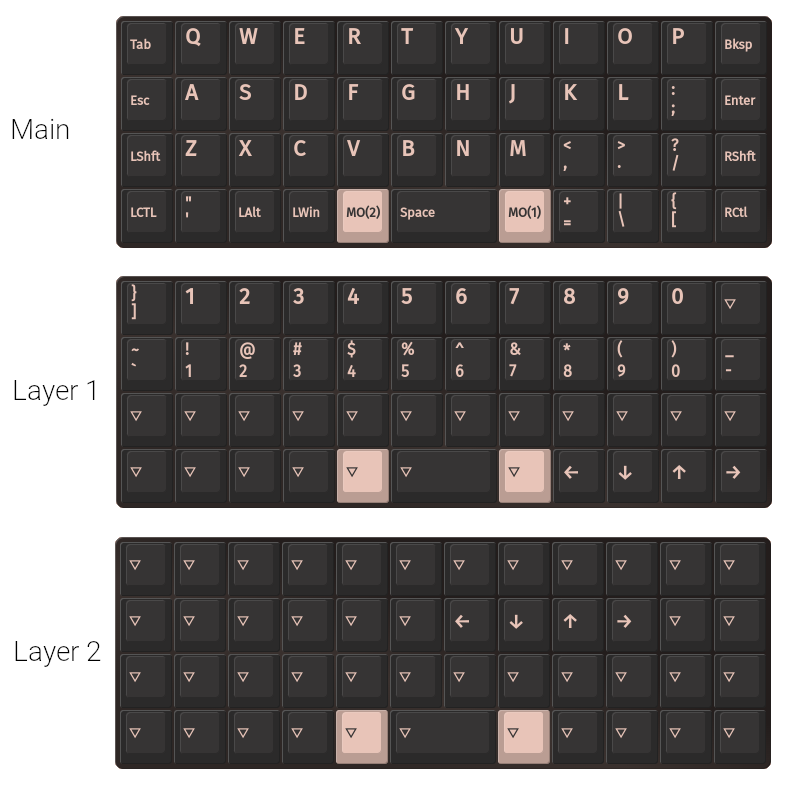
You might be wondering why some of the symbols are placed the way they are (for example [ & ] being on different layers). The reason is that I use a variant of programmer's Dvorak as my software layout.